Best Klaviyo Email Templates for Ecommerce Brands (2026)
Key Takeaways
Klaviyo's 160+ native templates are genuinely functional and free — but every brand using them looks the same, because they are built to be generic by design.
The abandoned cart template buries the CTA below the fold on mobile by default; one layout edit before launch typically lifts click rate meaningfully.
Post-purchase emails have the highest open rates of any flow — most brands leave upsell and review revenue on the table by not adding those blocks.
A freelance email designer charges $200–$1,200 per template; a Klaviyo-focused agency runs $2,500–$10,000/month — the cost of brand polish at scale adds up fast.
AI-generated email design (trained specifically on DTC email data, with native Klaviyo export) is the only option in this list that delivers on-brand output without a designer pass.
Choosing the right Klaviyo email templates can get a flow live in under an hour — but most of them are generic by design. Klaviyo ships 160+ customizable templates covering every stage of the customer lifecycle, and they work.
However, every brand using the default welcome series ends up looking like every other brand using the default welcome series.
So this article ranks the best Klaviyo email templates by the job they do, shows what each one gets right and wrong, and tells you the fastest path to a version that actually looks like your brand.
What Makes a Klaviyo Email Template Actually Good?
Not all templates are equal. For example, a template that looks clean in a preview can still fail in production — wrong mobile layout, broken dynamic variables, or a CTA buried below the fold. So before the list, here are the five criteria used to evaluate every entry.
Mobile-first layout — the majority of ecommerce email opens happen on phones; a template that looks great on desktop but breaks on mobile is a liability.
Editable block structure — blocks that survive brand customization without collapsing or requiring HTML edits save hours per flow.
Correct Klaviyo dynamic variables — first name, product blocks, discount codes, and catalog pulls should be pre-wired, not placeholders you have to map manually.
Flow-specific logic — an abandoned cart template needs urgency cues; a post-purchase template needs upsell placement. Generic layouts miss this.
Text-to-image ratio — image-heavy emails trigger spam filters; a good template keeps the ratio balanced and always includes a plain-text version.
The Best Klaviyo Email Templates by Use Case
Each entry below follows the same format: source, best for, what it includes, honest strengths, honest limitations, and one practical tip you can act on today. In short, the order follows the most common DTC email jobs-to-be-done, not tool preference.
1. Welcome Flow — Klaviyo's Built-In Welcome Series Template
Source: Klaviyo native template library (free, inside the platform under Content → Email Templates). Best for: brands that need a functional starting point fast with zero budget.
Strengths: Pre-wired to Klaviyo flow logic; dynamic variable placeholders for first name and product recommendations are already set; mobile-responsive out of the box.
Limitations: Visually generic — every brand using it looks the same. Requires significant design work to feel on-brand. No product-block pre-population.
Practical tip: Swap the hero image block first. That single change has the biggest impact on brand feel and takes under 10 minutes in the drag-and-drop editor.
2. Abandoned Cart — Klaviyo's Abandoned Cart Template
Source: Klaviyo native library. Best for: brands that want urgency mechanics — countdown, product image pull — without building from scratch.
Strengths: Product image and price pull via Klaviyo catalog variables work reliably; urgency copy slots are pre-placed; countdown timer block is available.
Limitations: The default layout buries the primary CTA below the product block on mobile. As a result, most brands launch it as-is and wonder why click rate is low.
Practical tip: Move the primary CTA button above the product block on mobile. That one layout change is the highest-leverage edit you can make before sending.
3. Post-Purchase / Thank You — Klaviyo's Order Confirmation Template
Source: Klaviyo native library. Best for: transactional confirmation plus a light upsell or review request.
Strengths: Order summary variables are pre-mapped; transactional emails have the highest open rates of any flow — this is the highest-leverage template to get right.
Limitations: The default is purely transactional. There is no upsell block, no review CTA, no referral hook. Consequently, brands leave real revenue on the table by not adding these.
Practical tip: Add a 'You might also like' product recommendation block and a one-line review ask in the footer. Both are native Klaviyo blocks — no HTML required.
4. Promotional / Sale Email — Klaviyo's Promotional Template
Source: Klaviyo native library. Best for: one-off sale campaigns where speed matters more than brand polish.
Strengths: Discount code block and countdown timer are pre-integrated; fast to launch for time-sensitive campaigns.
Limitations: The hero layout is rigid — hard to adapt for brands with a strong visual identity. In addition, image-heavy versions can trigger spam filters if the text-to-image ratio is off.
Practical tip: Keep the hero image under 600px tall and always include a plain-text version. Both reduce spam filter risk and improve deliverability.
5. Winback / Re-engagement — Klaviyo's Sunset Flow Template
Source: Klaviyo native library. Best for: list hygiene and recovering lapsed subscribers before suppressing them.
Strengths: Suppression logic is pre-built; the two-step structure (soft ask → hard ask) is the correct approach for re-engagement flows.
Limitations: The copy is placeholder-generic. The emotional hook — why should a lapsed subscriber care? — needs real brand voice to work.
Practical tip: Rewrite the subject line and preview text before anything else. Because open rate determines whether the rest of the email matters at all, this is where to start.
See What Your Email Funnel Is Missing Olivia audits your entire DTC funnel — flows, campaigns, positioning, and gaps — and returns a detailed report, free. Get my free audit
6. On-Brand Flows at Scale — Olivia (AI-Generated, Native Klaviyo Export)
Source: Olivia — an AI design agent trained on 5,000+ top DTC email designs, with native Klaviyo export. Best for: DTC brands and agencies that need full flows already on-brand — not a generic template to customize.
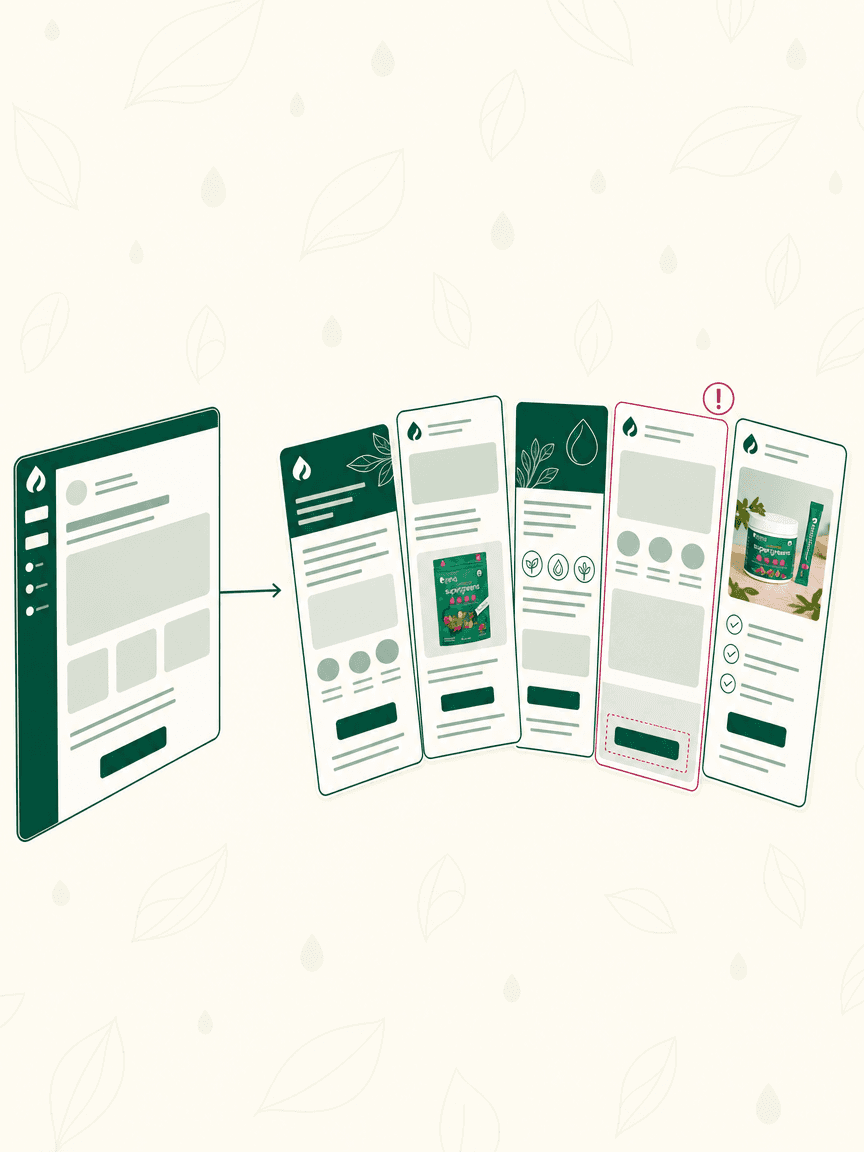
Here is how it works: you upload your Brand DNA once — logo, colors, typography, tone. Olivia then generates complete email designs for every flow type (welcome, abandoned cart, post-purchase, promotional), desktop and mobile, and exports them natively into Klaviyo. As a result, there is no HTML copy-paste and no template rebuilding.
Strengths: Every output inherits your brand identity automatically — no re-briefing per session. Trained specifically on DTC email performance data, not general design. Native Klaviyo export means the file lands in your account ready to send. ~90% of outputs are production-ready without a designer pass.
Honest limitations: Requires a paid subscription (not free like Klaviyo's native templates). Best fit for brands doing enough email volume that the time savings justify the cost. Requires a short onboarding call to set up Brand DNA.
For agencies: Olivia's Briefs feature reads connected store and channel data (Shopify, Meta, Klaviyo) and proposes pre-specced creative ideas — useful when managing five or more Klaviyo accounts and per-template customization time is the bottleneck.
The free Klaviyo templates solve the 'get something live' problem. Olivia, however, solves the 'make it look like us, at volume, without a designer' problem. Those are different problems — and which one you have depends on where your brand is.
7. Figma-to-Klaviyo Custom Templates — Klaviyo's Figma Plugin
Source: Klaviyo's official Figma plugin. Best for: brands with an in-house designer who already works in Figma and wants a direct export path.
Strengths: Full design control, pixel-accurate output, no template constraints. Maximum brand fidelity when a skilled designer is doing the work.
Limitations: Requires a designer and Figma proficiency. This is not a shortcut — instead, it is a workflow for teams that already have design resources.
Practical tip: Use Klaviyo's email block component library inside Figma to ensure the export maps cleanly to Klaviyo's rendering engine. Without it, block alignment can break on import.
Free vs. Paid Klaviyo Email Templates: What You Actually Get

Native templates win on cost and speed; Olivia, designers and agencies win on brand fit, at very different prices and timelines.
Free native Klaviyo templates are functional and fast to launch. However, they are generic by design — that is the tradeoff for being usable by every brand on the platform. Paid and AI options solve the brand differentiation problem, but at a cost in time or money.
For context on the paid end: a freelance email designer charges $200–$1,200 per template depending on experience level. A Klaviyo-focused email agency runs $2,500–$10,000/month for a full-service retainer. Those are the real market rates — so the comparison table below anchors on them.
Klaviyo Email Template Options Compared — Klaviyo native
Cost: Free
Time to Launch: < 1 hour
On-Brand OOB: ✗ Generic
Klaviyo Export: ✓ Native
Olivia (AI)
Cost: Fraction of agency cost
Time to Launch: Minutes
On-Brand OOB: ✓ Brand DNA
Klaviyo Export: ✓ Native
Figma + designer
Cost: $500–$1,200/template
Time to Launch: Days
On-Brand OOB: ✓ Full control
Klaviyo Export: Via plugin
Email agency
Cost: $2,500–$10K/mo
Time to Launch: 1–2 weeks
On-Brand OOB: ✓ Custom
Klaviyo Export: ✓ Managed
Klaviyo native wins on cost and speed. Olivia wins on brand fidelity at scale without a designer. Figma and agency work win on maximum control — but both require design resources and time that most DTC teams do not have in-house.
How to Pick the Right Template for Your Stage
Just launching or pre-revenue: Use Klaviyo's native templates. Get flows live fast — a functional welcome series and abandoned cart flow running today beats a beautiful one running in six weeks. In other words, polish later.
Growing brand with inconsistent brand feel: The generic template problem is actively costing you. When your emails look like every other brand in your category, the brand equity you're building in ads and social does not carry through to the inbox.
This is the stage where persistent Brand DNA — either through Olivia's AI email design or a designer system — starts to pay off.

Match the template path to the bottleneck you actually have: speed, brand consistency, or volume across accounts.
Agency managing five or more Klaviyo accounts: Per-template customization time is the real bottleneck. Rebuilding the same welcome flow five times in five different brand styles is not a design problem — it is a systems problem. As a result, AI-generated, on-brand output with native Klaviyo export changes the math significantly.
For a deeper look at the full ecommerce email design workflow — layout logic, mobile QA, and the five core DTC flows — the ecommerce email design guide covers the end-to-end process.
Get Klaviyo-Ready Emails, Fully Designed Olivia designs your flows and campaigns on brand and exports them straight into Klaviyo. Learn more & book a demo
Frequently Asked Questions
Does Klaviyo have free email templates?
Yes. Klaviyo includes 160+ free, customizable email templates inside the platform under Content → Email Templates. They cover every major ecommerce use case — welcome flows, abandoned cart, post-purchase, promotional, and winback. In addition, all are mobile-responsive and free to use on any Klaviyo plan.
Can I import a custom HTML email template into Klaviyo?
Yes. Klaviyo's template editor supports custom HTML import. You can paste your HTML directly into the HTML editor, or use Klaviyo's Figma plugin to export a pixel-accurate design. However, Klaviyo's rendering engine has some CSS limitations — so test across email clients before sending.
What's the best email template for an abandoned cart flow in Klaviyo?
Klaviyo's native abandoned cart template is a solid starting point — product image and price pull via catalog variables work reliably, and urgency copy slots are pre-placed. However, the default layout buries the CTA below the fold on mobile. As a result, move the primary button above the product block before launch.
How do I make my Klaviyo emails look on-brand without a designer?
Start by swapping the hero image in Klaviyo's native templates — that single change has the biggest visual impact. For full brand consistency across every flow, an AI design tool like Olivia learns your Brand DNA once (logo, colors, type, tone) and applies it to every email automatically, with native Klaviyo export.
Can AI generate Klaviyo email templates?
Yes. Olivia is an AI design agent trained on 5,000+ top DTC email designs. It generates complete, on-brand email flows and exports them natively into Klaviyo — no HTML rebuild required. Around 90% of outputs are production-ready without a designer pass. For more, see Olivia for Klaviyo.
What's the difference between a Klaviyo flow and a campaign template?
A flow is an automated sequence triggered by a subscriber action — a purchase, an abandoned cart, a sign-up. A campaign, by contrast, is a one-time send to a segment, like a sale announcement. Both use the same template editor, but flow templates need conditional logic and dynamic variables pre-wired; campaign templates prioritize speed and visual impact.