Free AI Tools for DTC Brands: What's Worth It (2026)
Key Takeaways
Several free AI tools are genuinely useful for specific DTC tasks — but no single free tool covers the full creative stack (photos, ads, email, social, Amazon) from one brief.
Canva's free tier caps AI image generation at roughly 20 Premium uses per month and locks Brand Kit depth, Background Remover, and Magic Resize behind a paid plan.
Midjourney has no free tier in 2026 — it is subscription-only from the first image. Treat any article claiming otherwise as outdated.
The real cost of a stitched free stack is time: re-briefing across 3–5 apps, designer cleanup passes, and zero brand consistency add up faster than any subscription fee.
A DTC creative agency retainer runs $8,000–$25,000/month; a freelance product photographer charges $1,200–$3,500/day. The ~98% cost gap versus those benchmarks is where a purpose-built AI design agent earns its place.
Free AI tools for DTC brands sound like the obvious answer when your creative backlog is growing and your headcount isn't. Several genuinely useful options exist for specific tasks.
However, no single free tool covers the full DTC creative stack — product photos, ad creative, email, social, and Amazon — from one brief. The real question isn't which tools are free. It's which ones are actually worth your time.
This guide tests each tool against what DTC operators actually need to produce — not generic design tasks. It also flags where free tiers hit real walls, and where the hidden cost of stitching five apps together quietly exceeds a single paid system.
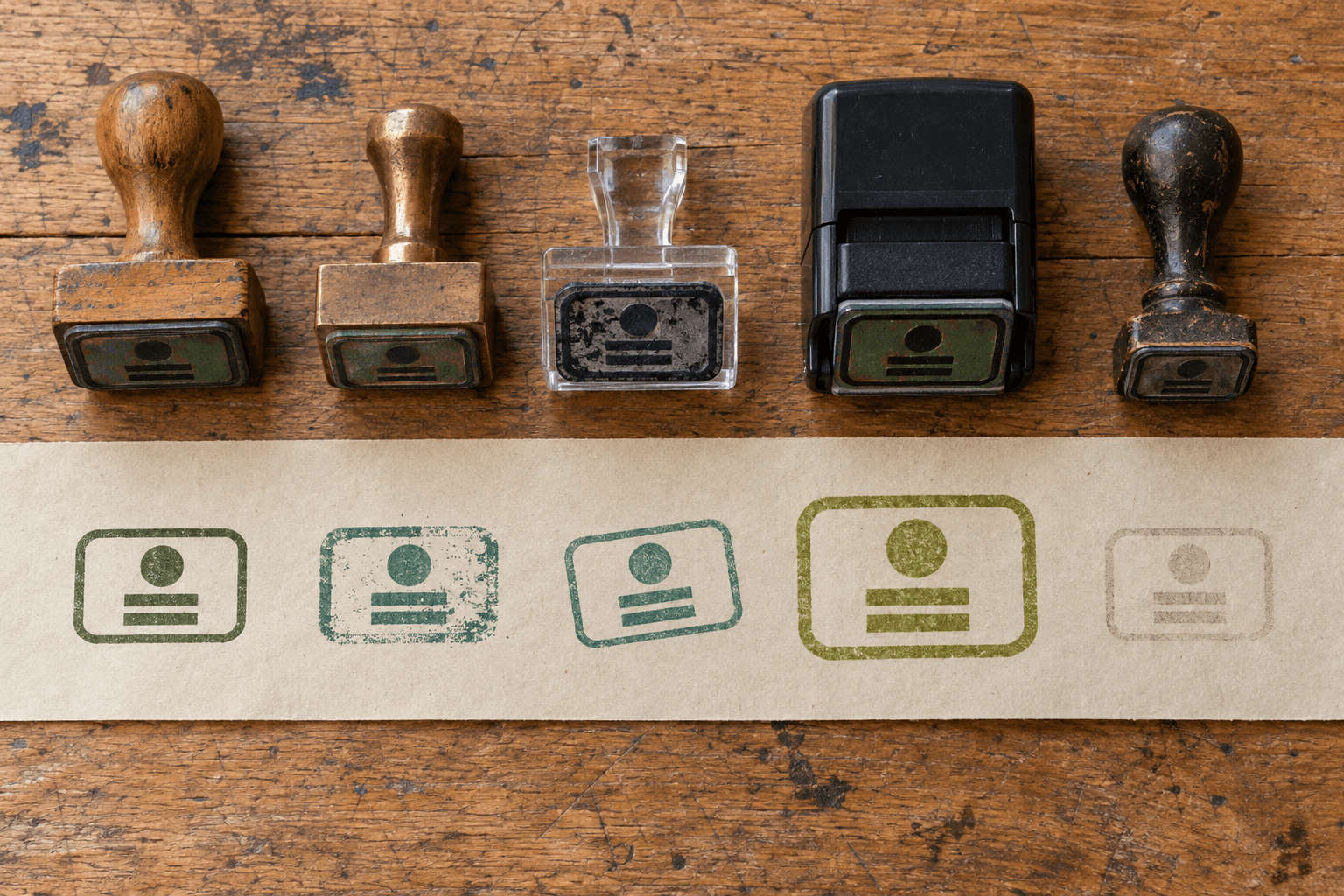
Five tools, no shared memory: the same brand comes out slightly different every time.
How We Evaluated These Tools
Every tool was assessed on four criteria specific to DTC creative production — not general design use.
DTC-relevant output quality — product photos, ad creative, email, and social assets, not generic graphics.
Free tier genuinely usable — or just a demo that gates production behind a paywall.
Brand consistency across outputs — does the tool remember your brand, or do you re-brief every session?
Time-to-production-ready asset — an asset you can upload to Meta Ads Manager, Klaviyo, or Amazon Seller Central without a designer cleanup pass.
'Free' is a total-cost question, not a price-tag question. A stitched stack of Canva + ChatGPT + Firefly costs $0 in subscriptions. But re-prompting across three apps, cleaning up outputs that aren't production-ready, and re-briefing your brand every session adds real hours.
At a freelance designer's mid-market rate of $50–$85/hr, even five extra hours a week is $1,000–$1,700/month in opportunity cost.
The Best Free AI Tools for DTC Creative (and What Each Is Actually Good For)
These are the tools DTC operators actually reach for. Each entry covers what it does well, what its free tier actually gives you, and where it falls short for DTC work specifically.
1. Canva (Free Tier)
Strength: Canva's template library is enormous — over 1.6 million free templates — and its drag-and-drop editor is genuinely intuitive. For quick social graphics and simple ad banners, the free tier is functional.
Free tier reality: The AI layer is heavily gated. The free plan gives you up to 20 Premium AI uses per month — covering Dream Lab image generation and Magic Design — and that pool is shared across all AI tools. Background Remover, Magic Eraser, and Magic Resize are paid-only features with zero free access.
Key free-tier limits:
AI image generation: ~20 Premium uses/month (shared pool, burns fast in production)
Brand Kit: 1 kit, limited to 3 colors — brand depth requires a paid plan
Background Remover: paid only, no free access
Magic Resize (one-click multi-format export): paid only
Storage: 5 GB — fills quickly with high-res exports
DTC limitation: Canva is not trained on DTC conversion patterns. There is no persistent brand memory across sessions, no native Klaviyo or Amazon export, and product photography is not a native capability. So you get templates, not trained creative intelligence.
Best for: Early-stage brands that need quick social graphics and don't yet have a brand system to maintain. Also see our Canva alternatives for DTC brands if you've already hit the free-tier ceiling.
2. Adobe Firefly (Free Credits)
Strength: Firefly is commercially safe by design — trained on licensed content — which matters for ad creative. Its generative fill for product image editing is strong, and it integrates tightly with Photoshop for power users.
Free tier reality: Adobe gives free users a limited number of daily generations that refresh each day, but the exact count is not published and changes frequently. Based on current reports, free accounts receive roughly 25 generative credits per month before hitting limits. Those credits expire on a rolling basis, not a calendar cycle.
Key free-tier limits:
~25 generative credits/month (refreshes monthly, not daily)
No IP indemnification on the free tier
Video generation and advanced features require a paid plan
No email, Amazon, or social calendar capability at any tier
DTC limitation: Firefly is a tool-driven workflow, not a brief-driven agent. You need design skill to get production-ready output. There is no brand memory, no channel export layer, and no way to go from a plain-language brief to a finished ad set.
Best for: Designers already in Adobe CC who want AI-assisted editing on top of an existing workflow. Not a standalone creative production system.
3. Midjourney (No Free Tier)
Free tier reality: There is no free tier. Midjourney is subscription-only in 2026 — you need an active paid plan to generate a single image. The widely-cited 'free trial' was a temporary August 2024 promotion. It is gone. Treat any article claiming Midjourney is free as outdated.
Strength: Midjourney produces the highest aesthetic quality of any general image model. It is excellent for mood boards, lifestyle imagery, and brand inspiration. However, product accuracy is unreliable — text, logos, and specific product details frequently distort.
DTC limitation: No brand memory — every session starts from scratch. No ad, email, or export layer. Because it is paid-only, it does not belong in a 'free tools' stack at all.
Best for: Creative directors building visual references and mood boards on a paid plan. Not a production asset tool for DTC operators.
4. ChatGPT / GPT Image (Free Tier)
Strength: ChatGPT is fast, conversational, and genuinely good for copy drafts and quick image concepts. The GPT Image model (which replaced DALL·E in 2025) is a meaningful upgrade for product-adjacent visuals — better text rendering and prompt adherence than its predecessor.
Free tier reality: Free accounts get roughly 2–3 image generations per 24-hour rolling window. OpenAI does not publish a fixed number, and the cap adjusts with server demand. That limit hits fast in any real production workflow.
Key free-tier limits:
Image generation: ~2–3 per 24-hour rolling window (not a daily reset at midnight)
No persistent brand model — every session starts from scratch
Output typically needs a post-production pass for product shots
No native channel export for Meta, Klaviyo, or Amazon
Best for: Operators who need fast copy drafts or rough visual concepts to brief a designer. Not a production creative system.
5. Gemini (Free Tier)
Strength: Gemini's free tier offers strong multimodal reasoning — useful for competitive research, copy drafts, and analyzing your own creative. Image generation is improving rapidly.
DTC limitation: Same core problem as ChatGPT — every session starts from scratch, no brand memory, no DTC-specific training, and no channel export. It is a research and writing assistant, not a design production tool.
Best for: Operators who want an AI research and writing assistant alongside their existing design stack. Pair it with a dedicated image tool, not instead of one.
See Your Brand's Creative Gaps Before You Spend a Dollar Olivia researches your site, ads, email, and competitors — then returns a detailed funnel audit with specific creative recommendations. No signup, no credit card. Start my free audit
6. Olivia (Free Pre-Audit, Then Paid)
Honest placement justification: Olivia is the only tool in this list purpose-built for DTC creative production across every channel — AI product photography for DTC brands, ad creative, email, social, Amazon, and video — from a single plain-language brief. That scope is the honest reason it earns a top slot, not a superlative.
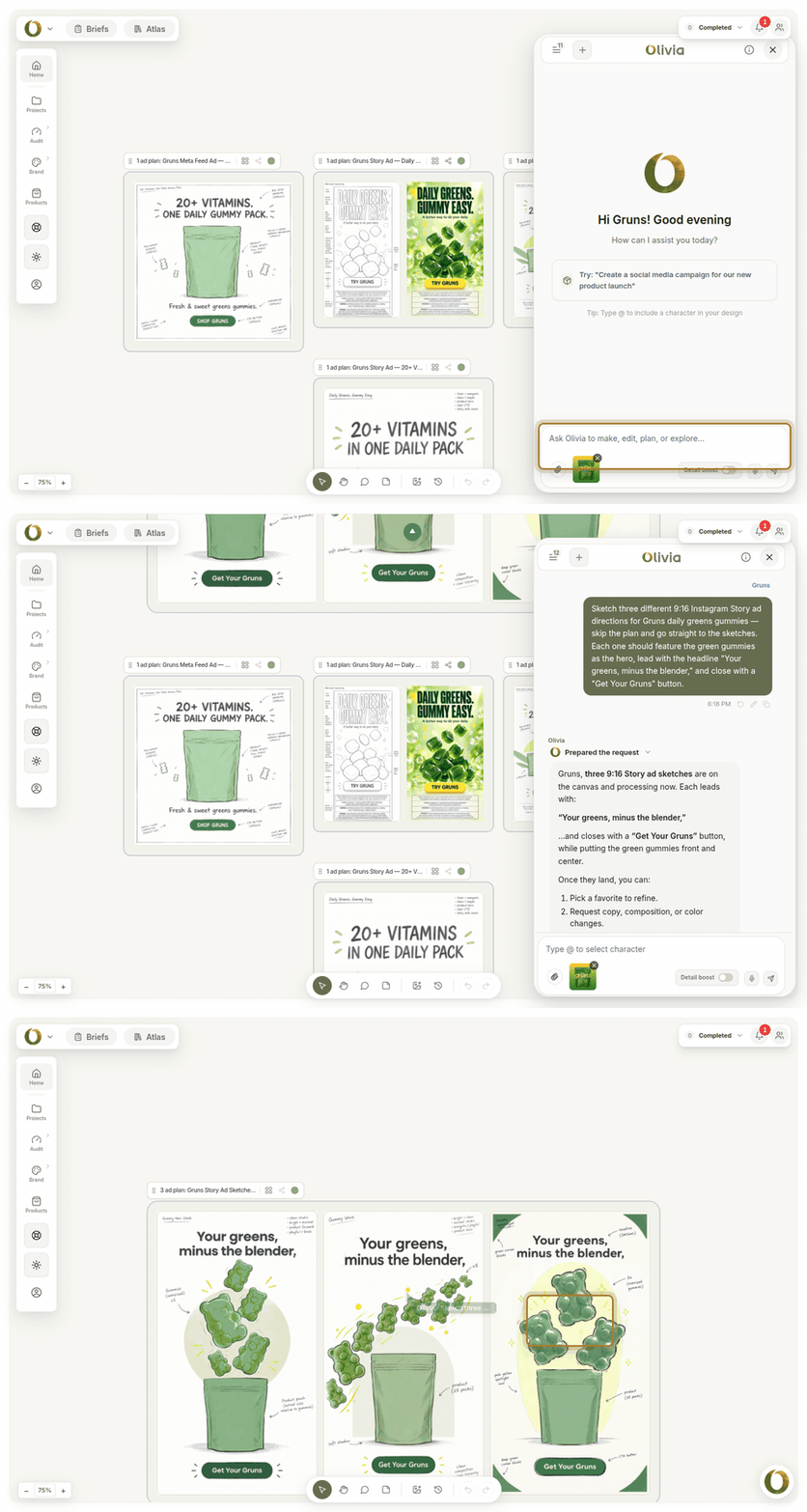
One message in, three on-brand directions out: the brief-to-sketch step on Olivia's real canvas.
What's actually free: The automated pre-audit. Answer a 7-question quiz and Olivia researches your brand — site, reviews, press, competitors — and returns a detailed funnel audit. No signup, no credit card. It is a real deliverable: customer profiles, positioning gaps, ad ideas, email findings, and a prioritized roadmap.
What's paid: The Creative Studio — the generative design agent. After the pre-audit: sign up, book an onboarding call, pay a small trial fee (around $100), and a 7-day trial starts. The fee is credited to the first month if you continue.
DTC-specific differentiators (stated honestly):
Olivia 1.0 is custom-trained on 10,000+ top DTC brands — not a general image model adapted for ecommerce.
Brand DNA learned once — upload your brand kit and every output inherits your logo, colors, type, and photography style automatically, forever. No re-briefing.
~90% of outputs are production-ready without a designer cleanup pass.
Native Klaviyo and Shopify export plus platform-correct files for Meta, TikTok, Google, and Amazon.
500+ ad variations per session across all standard formats, drawn from a library of top-performing DTC ads in your category.
Brand Atlas — 15,000+ real DTC brand assets indexed to your brand, so references are one search away instead of a Pinterest rabbit hole.
Be transparent: Olivia is not a free tool for production use. The value case is ROI — roughly 98% less than agency and freelancer cost per design asset — not a free tier. The how Olivia's Brand DNA works page explains the one-time setup in detail.
Free AI Tools vs. Paid: The Real Cost Comparison for DTC Brands

Free wins on price. Only one option wins on price, consistency and speed together.
The 'free' label only tells you about the subscription line. It says nothing about the time cost of prompting across multiple apps, the designer hours spent cleaning up outputs, or the revenue cost of inconsistent brand creative.
Here are the researched market rates for traditional DTC creative production in 2026, as the cost anchor for this comparison.
DTC Creative Production: Cost Comparison (2026) — Freelance photographer
Typical Cost: $1,200–$3,500/day shoot
Brand Consistency: ✗ Varies by session
Time to Asset: 1–3 weeks
Creative agency retainer
Typical Cost: $8,000–$25,000/mo
Brand Consistency: ✓ Managed
Time to Asset: 2–4 week cycles
Freelance designer
Typical Cost: $50–$150/hr
Brand Consistency: ✗ Re-brief each time
Time to Asset: Days per asset
Free AI tool stack
Typical Cost: $0 subscription
Brand Consistency: ✗ None (no memory)
Time to Asset: Hours + cleanup
Purpose-built AI agent
Typical Cost: Fraction of agency cost
Brand Consistency: ✓ Persistent (learned once)
Time to Asset: Minutes per asset
Market rates sourced from published 2026 benchmarks: product photographer day rates run $1,200–$3,500 for commercial work; DTC creative agency retainers run $8,000–$25,000/month for a mid-size brand; freelance graphic designer rates run $50–$150/hr for mid-to-senior production work.
The ~98% cost gap is real — here's the math. A mid-size DTC brand running a creative agency retainer at $8,000–$25,000/month plus a photographer at $1,200–$3,500/shoot adds up to $115,000–$302,000+ per year.
A purpose-built AI design agent that produces photos, ads, email, social, and video from one brief — at a fraction of that — closes that gap by roughly 98% per asset.
The free tool stack closes it too, but only if your time is worth nothing.
The Hidden Costs of a Free Tool Stack
A stitched free stack — Canva for social, ChatGPT for copy, Firefly for product edits — can work for a brand producing under 10 assets a month. But it breaks down fast at volume.
Re-briefing every session — no tool in the free stack remembers your brand, so you re-enter colors, fonts, and tone every time.
Designer cleanup passes — free AI outputs rarely hit the production-ready bar for Meta Ads Manager or Amazon Seller Central without at least one editing pass.
Format conversion — free tools don't export platform-correct specs, so you're manually resizing for every channel.
Brand drift — with no persistent brand model, assets made in different tools look like they came from different brands.
For context: product photography alone runs $50–$350 per finished image from a professional. Even a modest catalog of 20 images per quarter adds up to $1,000–$7,000 — before a single ad or email is designed.
Which Free AI Tools Are Worth Your Time? A 3-Scenario Decision Framework
Your right answer depends on your asset volume and where you are in building a brand system. Here is a practical framework — not a funnel.
Scenario 1: Pre-Revenue or Very Early Stage (<10 Assets/Month)
Use: Canva free tier + ChatGPT free tier. These cover basic social graphics, copy drafts, and rough visual concepts. Accept the time cost and the brand inconsistency — at this stage, speed of testing beats polish.
Canva free: social graphics, simple banners, basic layouts
ChatGPT free: copy drafts, product descriptions, quick image concepts
Gap to manage: no product photography, no email design, no Amazon assets
Scenario 2: Growing Brand, 10–50 Assets/Month, Brand Consistency Starting to Matter
The inflection point. At this volume, free tools create more rework than they save. You are spending real hours re-briefing brand guidelines, cleaning up outputs, and manually resizing for each channel.
A paid tool with persistent brand memory — one that learns your identity once and applies it to every output — pays for itself in designer hours avoided. This is also where AI ad creative for Meta and TikTok starts to matter: at 10–50 assets/month, manual ad variation is a bottleneck.
Scenario 3: Scaling Brand or Agency, 50+ Assets/Month Across Multiple Channels
A stitched free stack is not viable. At this volume, the cost of inconsistency — off-brand ads, manual exports, re-briefing every session — exceeds any tool subscription many times over.
You need one system that covers photos, ads, email, social, and Amazon from a single brief, with native channel export and persistent brand memory. For more on how AI platforms compare at this scale, see our best generative AI platforms for DTC brands guide.
Quick Decision Guide — <10 assets/mo, pre-revenue
Right Tool Tier: Free stack (Canva + ChatGPT)
Watch Out For: No product photos or email design
10–50 assets/mo, brand forming
Right Tool Tier: Paid tool with brand memory
Watch Out For: Re-briefing cost exceeds sub fee
50+ assets/mo, multi-channel
Right Tool Tier: Purpose-built AI design agent
Watch Out For: Free stack breaks at this volume
Where Free AI Tools Still Fall Short (Honest Assessment)
Free AI tools have real strengths. But for DTC creative production specifically, three gaps remain consistent across every tool in this list.
Product accuracy — free general models frequently distort text, logos, and product details in generated images. Checking labels, stitching, and textures before going live is essential with any free tool output.
Brand consistency at scale — without persistent brand memory, every output is a fresh start. The more assets you produce, the more visible the drift.
Channel-correct export — Meta, TikTok, Amazon, and Klaviyo each have specific format requirements. Free tools don't automate this; you do it manually every time.
Email and Amazon design — no free tool in this list produces complete email flows or Amazon A+ content. These are paid-tier or purpose-built capabilities only.
Where traditional production still wins: For flagship campaign photography — hero lifestyle shots, editorial imagery for a brand relaunch — a professional photographer with a full studio setup still produces results that AI cannot reliably match.
AI wins on volume, speed, and consistency for catalog and performance creative. It does not yet replace a senior art director running a full campaign shoot.
Frequently Asked Questions
Are there any truly free AI tools for product photography?
A few tools offer limited free access — Canva's Magic Media gives roughly 20 Premium AI uses per month, and Google Product Studio is free inside Merchant Center with restrictions.
However, free tiers for product photography are heavily gated: watermarks, generation caps, and limited scene control are common. For production-ready product photos at any real volume, a paid tool is the practical minimum.
If you want to test AI product photography before committing, Olivia's free pre-audit shows you exactly where your current creative is falling short — no signup required.
Can I use free AI tools to make ads for Meta and TikTok?
Yes, with significant caveats. Canva's free tier can produce static ad banners, and ChatGPT can draft ad copy. But free tools don't export platform-correct specs automatically, don't remember your brand between sessions, and don't generate the volume of variations (typically 500+ per session for performance testing) that paid DTC-specific tools produce.
For a brand running paid ads seriously, the manual resizing and re-briefing overhead of free tools adds up faster than a paid subscription.
What's the difference between free AI design tools and a paid AI design agent?
Free AI design tools are general-purpose: they generate one output at a time, forget your brand between sessions, and require you to manually export and resize for each channel.
A paid AI design agent — purpose-built for DTC — learns your brand once and applies it to every output forever, produces platform-correct files for every channel automatically, and covers the full creative stack (photos, ads, email, social, Amazon, video) from a single brief.
The practical difference is production-readiness: free tools typically need a designer cleanup pass; a well-trained AI design agent targets ~90% production-ready output.
Is Canva's free tier good enough for a DTC brand?
For early-stage brands producing under 10 assets a month, yes — Canva's free tier covers social graphics and simple banners well. But it gates the features DTC brands need most: Background Remover, Magic Resize, and meaningful AI image generation are all paid-only. There is also no persistent brand memory and no native export to Klaviyo or Amazon.
As soon as brand consistency and production volume start to matter, Canva's free tier creates more rework than it saves.
How do free AI tools handle brand consistency across multiple assets?
They don't — and that is the core limitation. Every free AI tool in this roundup starts each session from scratch. There is no persistent brand model, so you re-enter your colors, fonts, tone, and product details every time. At low volume (under 10 assets/month) this is manageable. At higher volume, brand drift becomes visible and costly to fix.
Persistent brand memory — learned once, applied forever — is a paid-tier capability in every tool that offers it.
When does it make sense to pay for an AI creative tool instead of using free options?
The inflection point is roughly 10–50 assets per month, or whenever brand consistency starts to matter. Below that, a free stack (Canva + ChatGPT) covers basic needs at the cost of some manual effort.
Above it, the time spent re-briefing, cleaning up outputs, and manually exporting to each channel exceeds the cost of a paid tool with persistent brand memory and native channel export.
For agencies managing creative for multiple DTC clients, the math tips even earlier — inconsistent brand output across clients is a reputational risk, not just a time cost.
The Bottom Line on Free AI Tools for DTC Brands
Free AI tools are genuinely useful at the right stage and volume. Canva's free tier is a real tool for early-stage social graphics. ChatGPT's free tier is a real tool for copy drafts and quick concepts. But neither covers the full DTC creative stack, and neither remembers your brand.
As your volume grows, the hidden cost of stitching five apps together — re-briefing, cleanup passes, manual exports — quietly exceeds any subscription fee. That is when the question shifts from 'what's free?' to 'what's the lowest cost per production-ready asset?'
Quick recap:
Canva free — best for early-stage social graphics; AI features heavily gated
Adobe Firefly free — best for one-off image editing by designers already in Adobe CC
Midjourney — no free tier in 2026; subscription-only from the first image
ChatGPT free — best for copy drafts and rough concepts; 2–3 images/day limit
Gemini free — best as a research and writing assistant alongside a dedicated design tool
Olivia — the only tool in this list purpose-built for DTC across every channel; free entry point is the automated pre-audit (no signup required)
For a deeper look at how AI design tools compare on brand consistency and production-readiness, see our best AI design assistants for DTC brands guide. For product photography specifically, the best AI image editors for DTC brands roundup covers the dedicated photo tools in more detail.
Get a Free Audit of Your DTC Creative Stack Answer 7 questions and Olivia researches your brand — site, ads, email, competitors — and returns a detailed funnel audit with prioritized creative recommendations. Free, no signup required. We onboard up to 80 brands a month. Start my free audit