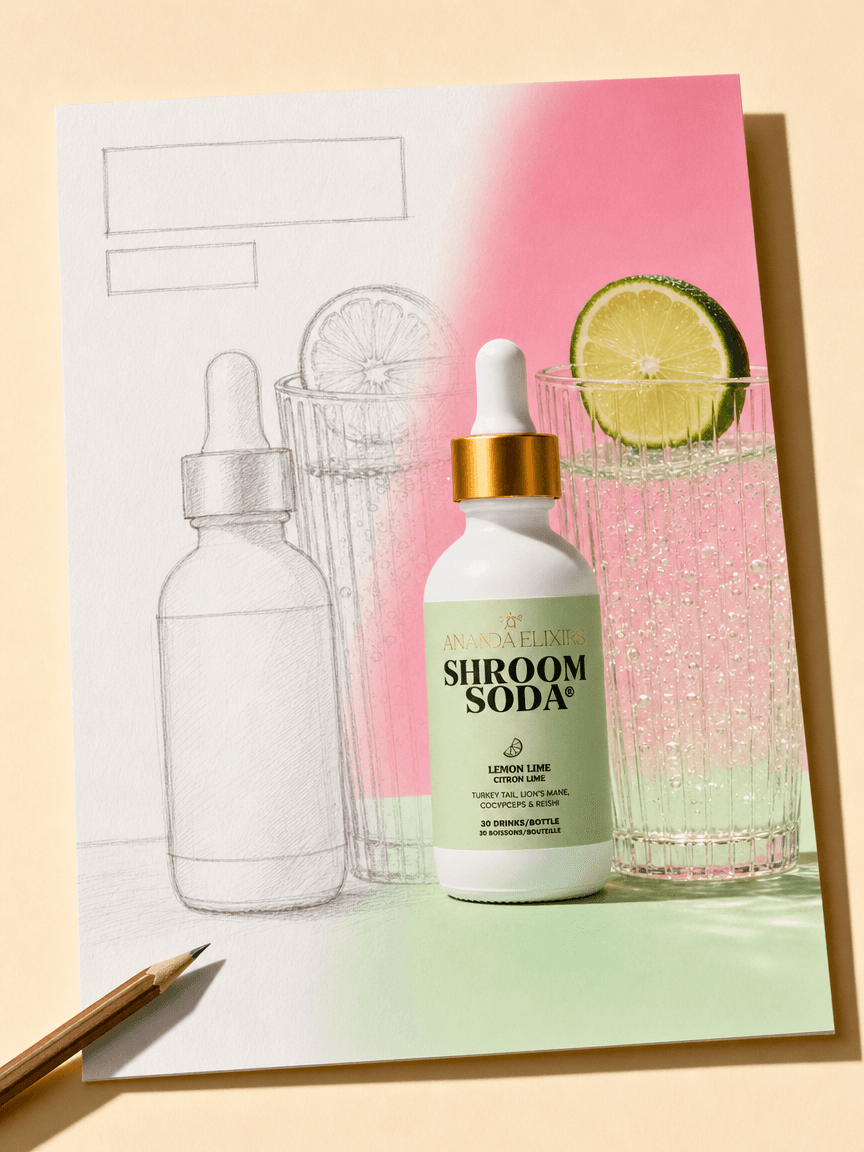
Generative AI Design: A Practical Guide for DTC Brands
Key takeaways
Generative AI design produces finished, channel-ready creative from a plain-language brief — but output quality varies sharply between general models and DTC-purpose-built systems.
A single product launch can require studio photos, Meta ad variants, email flows, Amazon listing images, and social content simultaneously — the creative volume problem generative AI was built to solve.
Traditional production costs are real anchors: a product photoshoot runs $2,000–$10,000+; a creative agency retainer runs $8,000–$25,000/month. AI alternatives deliver comparable output at a fraction of that cost.
General tools (Canva, Midjourney, Adobe Firefly) are strong for one-off work; purpose-built DTC systems pay off when you need brand-consistent creative at volume across multiple channels.
The most powerful generative design workflows are data-connected — creative ideas come from what's actually selling, not from guesswork.
Generative AI design is the use of AI models to produce finished visual assets — images, ad layouts, emails, and more — from a plain-language brief, rather than from templates or manual design tools.
You describe what you want; the system builds it. For a DTC brand, that means going from a product image and a brief to a production-ready ad, email, or product photo in minutes, not days.
But output quality varies widely by tool and use case. General models produce raw files that still need a designer. Purpose-built systems aim for production-ready output from the start. That gap is what this guide is about.
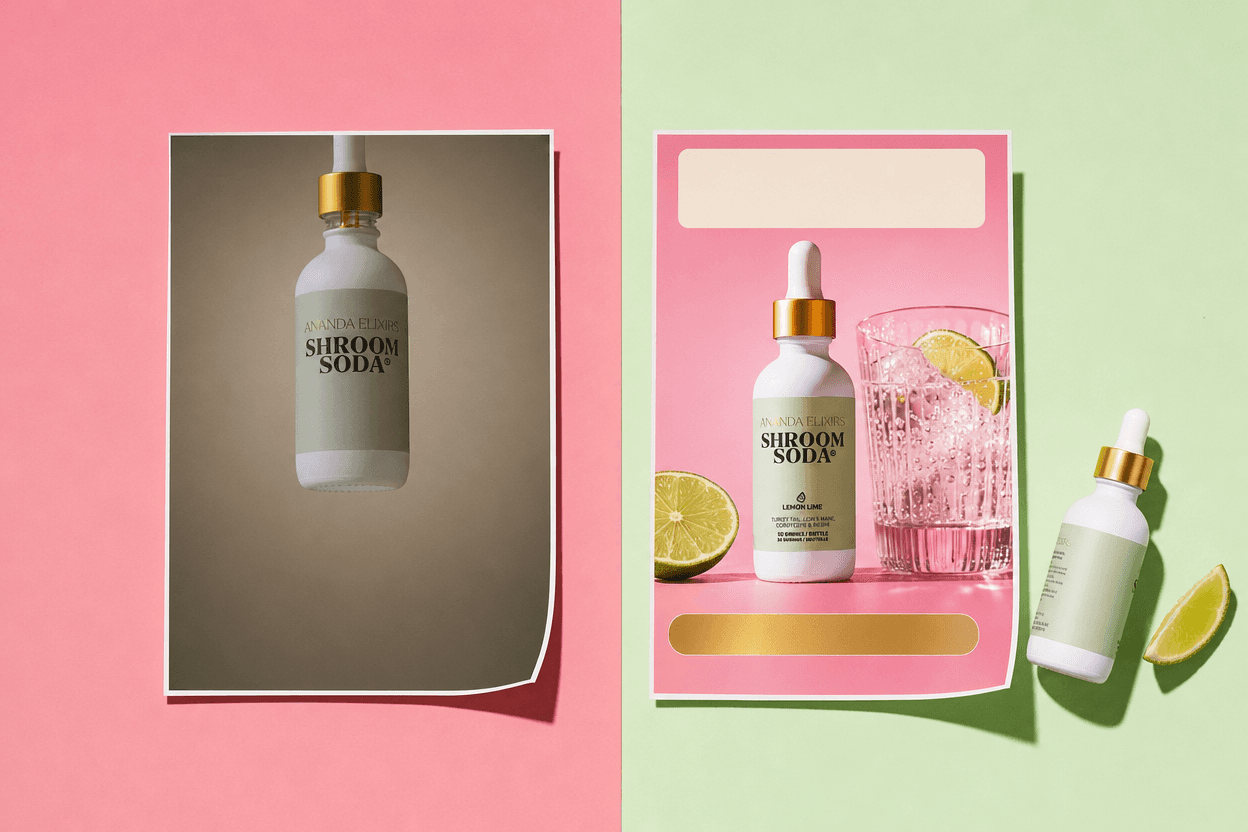
What generative AI design actually means (and what it doesn't)
Three adjacent terms often get confused with generative AI design. It helps to separate them quickly.
What generative AI design is NOT:
Generative art — aesthetic, non-commercial image-making. Generative AI design targets finished marketing assets, not gallery pieces.
AI image editing — modifying an existing file (background removal, retouching). Editing starts from something; generative design starts from a brief.
Design automation — rule-based resizing and templating. Automation applies rules; generative design creates new layouts from scratch.
For a DTC operator, the practical implication is direct. You brief the tool in plain language — product, channel, offer, visual direction — and it returns a finished asset. No Photoshop. No prompting expertise. No template hunting.
Why DTC brands are the sharpest test case for generative design
A single product launch at a DTC brand can require studio photos, Meta ad variants, email flows, Amazon listing images, and a 30-day social calendar — all on-brand, all at once. That's not a design task. It's a production problem.
What traditional production actually costs in 2026:
Product photoshoot: A full-day studio shoot with styling runs $2,000–$10,000+ before retouching — and typically covers 40–60 finished images.
Creative agency retainer: DTC marketing agency retainers run $8,000–$25,000/month for mid-stage brands needing paid social, performance creative, and email.
In-house creative team: A 3-person in-house creative team costs $310,000–$490,000/year in salary, benefits, tools, and turnover.
The headcount constraint is the real problem. Most DTC brands under $20M in revenue rely on an agency or have one in-house designer — sometimes neither. Generative AI design doesn't replace creative judgment. But it does change the ratio of creative output to headcount, dramatically.
See What's Holding Your Creative Back Olivia audits your full funnel — ads, email, PDPs, and brand positioning — and returns a detailed pre-audit for free. Start my free audit
The six DTC use cases where generative AI design delivers today
This is a practical inventory — what the technology can reliably produce for DTC brands right now. Not a wishlist.
1. Product photography
The workflow is straightforward: upload one product image, brief the angle, lighting, background, and scene, and receive multiple studio-quality outputs in minutes. No studio rental. No photographer day rate.
What works well: clean packshots, lifestyle backgrounds, multiple angles, and lighting variations. Where accuracy matters most — text on packaging and fine product details — a tool trained specifically on product photography outperforms a general image model.
What to look for in an AI product photography tool:
Product accuracy — does it preserve text on packaging, exact colorways, and proportions?
Production-readiness — how many outputs need a designer pass before publishing?
Output volume — multiple angles and lighting presets from one upload, not one image per brief.
DTC training — a model trained on ecommerce product photography will outperform a general image model on these specific tasks.
Olivia's AI product photography for DTC brands generates multiple angles and 12 lighting presets from a single upload, with ~90% accuracy on text, sizing, and product details — production-ready without a photoshoot. That ~90% figure matters: it means most outputs go straight to channel without a designer pass.
2. Ad creative
Testing ad creative at scale requires dozens to hundreds of variants. Manual design can't keep pace. A brand spending $50,000/month on Meta needs roughly 15–25 new creative concepts monthly just to avoid ad fatigue.
A generative ad workflow looks like this: brief the offer, audience, and format; receive on-brand variants across Meta, TikTok, and Google specs; export platform-correct files. The brief replaces the design ticket.
The brand consistency problem with general tools: Each session starts from scratch. Maintaining visual identity across 500 ad variants requires manual re-briefing or heavy post-production. Persistent brand memory — like Olivia's Brand DNA feature — solves this by learning your logo, colors, type, and photography style once and applying them to every output automatically.
3. Email and newsletter design
Klaviyo flows require mobile and desktop versions, A/B variants, and consistent brand treatment. A designer can spend a full day on one flow. Generative email design compresses that to minutes.
The practical differentiator here is native export. Olivia's DTC email design with Klaviyo export builds full flows and campaigns for desktop and mobile, then exports them directly into Klaviyo or Shopify — no HTML copy-paste, no template rebuilding.
4. Amazon listing images and A+ content
Amazon is a distinct design problem. Seller Central has exact image specs, and listing images follow conversion-optimized patterns — infographics, comparison charts, lifestyle shots — that differ from standard ad creative.
Generative design tools trained specifically on top-selling Amazon listings outperform general models here. The output patterns are category-specific, and a general model doesn't know them. Olivia's AI Amazon Design feature is trained on 10,000+ top-selling listings and produces listing image sets, A+ Basic/Premium content, and brand stores in Amazon-approved formats.
5. Social content calendars
Consistent posting across Instagram, TikTok, Pinterest, and Facebook requires 20–30 pieces of on-brand content per month. That's a volume problem, not a creativity problem. Generative social design produces 30-day calendars across platforms, sized correctly for each, on-brand.
6. Motion and video ads
Short-form video ad spending reached $111 billion in 2025 and is the fastest-growing category in digital advertising. For DTC brands, video is also the hardest format to produce at volume.
Two generative video workflows exist today. First: animate a static asset — turntable, parallax, cinemagraph — in under a minute. Second: go brief-to-video with script, AI voiceover, baked captions, 3–6 hook variations, and a branded end card across 9:16, 1:1, 16:9, and 4:5.

Static to motion to a second placement in a few clicks. The Story, its motion loop and the 4:5 feed version all come from one brief.
Be honest about where this is today: brief-to-video output is platform-ready for testing hooks and concepts. However, it may not match a high-production shoot for hero campaigns. The value is speed and volume — not replacing your best creative, but finding it faster.
Where generative AI design still falls short
These are real gaps — not caveats to soften later. Knowing them upfront saves you from publishing something you shouldn't.
Current limitations to build into your workflow:
No brand memory in general models. Every session starts from scratch. Output is inconsistent across sessions, and you need a designer to bring it on-brand. This is a workflow problem, not just a quality problem.
Product accuracy risks. General image models struggle with text on packaging, exact product proportions, and specific colorways. Purpose-built systems do better — but always QA before publishing.
Regulated claims aren't enforced automatically. If your brand has legal disclaimers, banned wording, or regulated health claims, a general AI tool won't catch them. Brand compliance rules need to be built into the system or checked manually every time.
Landing pages and full website design. Most generative AI design tools don't yet produce CRO-optimized landing pages. This is an active development area across the category — not a solved problem.
Human judgment on strategy. Generative AI produces creative. It doesn't replace the judgment call on which creative to run, which audience to target, or what offer to test. Data-connected tools narrow this gap but don't close it.
General AI tools vs. DTC-purpose-built systems: what the difference looks like in practice
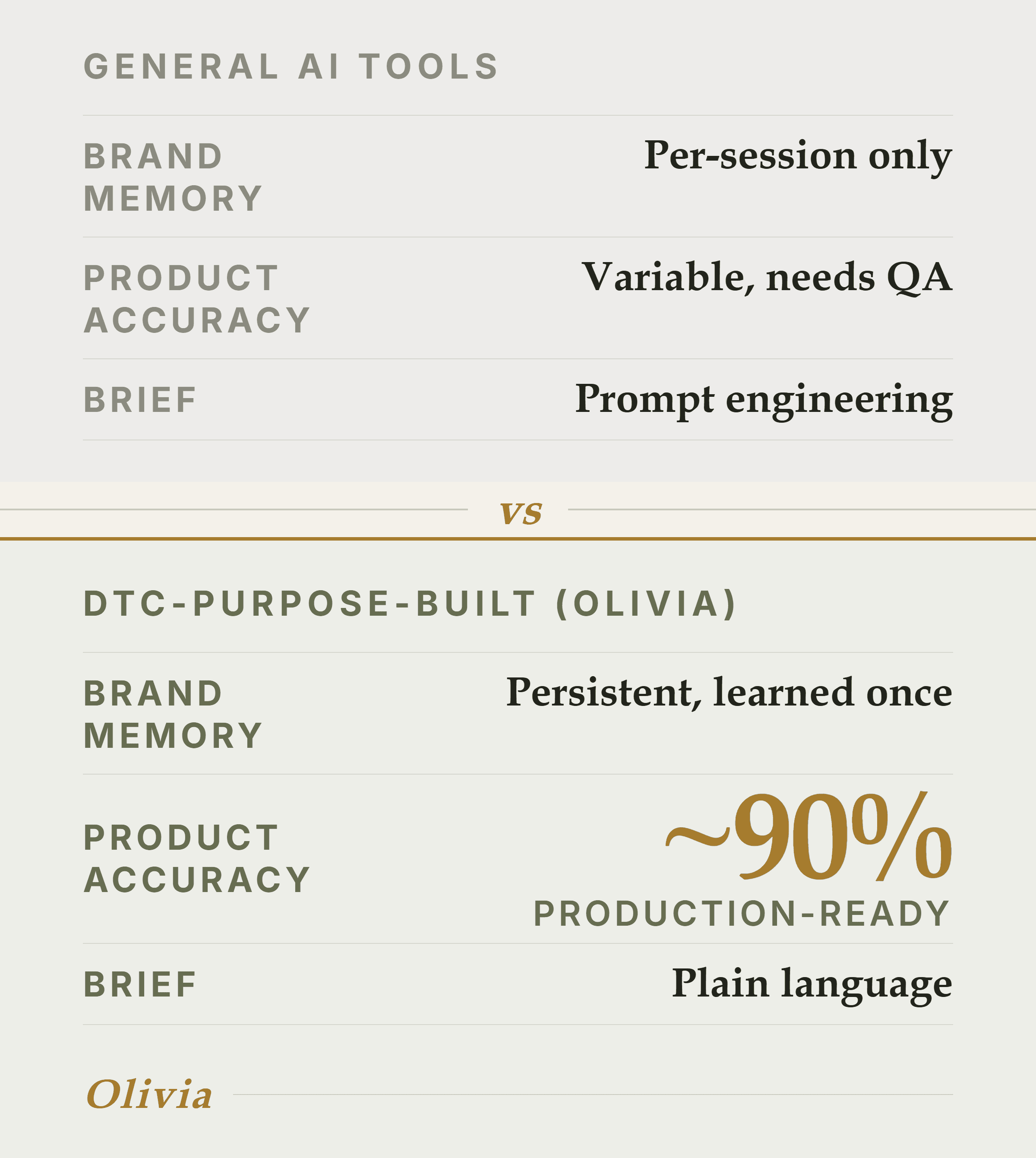
The three gaps that decide it: memory, accuracy and how you brief.
The question isn't which tool is 'better.' It's when does a general tool do the job, and when does a purpose-built DTC system pay off? The answer depends on volume, brand consistency requirements, and whether you have a designer to finish raw output.
General AI tools vs. DTC-purpose-built (Olivia) — Brand memory
General AI tools: Per-session only
Olivia (DTC-purpose-built): Persistent — learned once
Product accuracy
General AI tools: Variable; needs QA
Olivia (DTC-purpose-built): ~90% production-ready
Channel coverage
General AI tools: Single format
Olivia (DTC-purpose-built): Photos, ads, email, social, Amazon, video
Native channel export
General AI tools: Manual download
Olivia (DTC-purpose-built): Klaviyo, Shopify, platform-correct files
DTC training data
General AI tools: General training
Olivia (DTC-purpose-built): 10,000+ top DTC brands
Brief format
General AI tools: Prompt engineering
Olivia (DTC-purpose-built): Plain language, like briefing a designer
When general tools are the right call
Canva is excellent for template-based design and teams that want manual control — its Brand Kit feature enforces consistent colors and fonts across designs, and its 150M-user ecosystem means templates exist for almost every format. Midjourney produces beautiful, cinematic images and is the right tool for visual ideation and mood boards — but it has no brand memory and no product accuracy guarantees. Adobe Firefly is a powerful, commercially safe creative suite with deep Photoshop integration — but it's tool-driven, not brief-driven, and requires design skills to get production-ready output.
General tools are the right call when:
You need one-off creative experiments and have a designer to finish the output.
Your use case is outside DTC — editorial, presentations, concept art.
You're exploring visual directions before committing to a production workflow.
When a DTC-purpose-built system pays off
A purpose-built DTC system pays off when:
You need consistent brand identity across high volumes of creative — 50+ assets per month.
You're producing across multiple channels simultaneously and can't re-brief the model each time.
You don't have a designer to finish every output before it goes to channel.
You want creative ideas grounded in your actual performance data, not guesswork.
For a broader look at how these tools stack up, the best generative AI assistants for DTC brands in 2026 covers six options ranked on brand consistency, channel coverage, and production-readiness — including a cost breakdown.
How to build a generative AI design workflow for your DTC brand
This method works regardless of which tool you use. The steps below teach the complete framework — then show where AI removes a step.
Six steps to a working generative AI design workflow:
Codify your Brand DNA before you touch any AI tool. Document your logo usage rules, hex codes, typefaces, photography style (clean white vs. lifestyle vs. editorial), and tone of voice. Without this, every AI output will be inconsistent — regardless of which tool you use.
Audit your creative gaps. List every channel you publish on and every format each requires. Identify where you're bottlenecked — usually product photography and ad variants.
Start with one use case and one channel. Don't try to replace your entire creative stack in week one. Pick the highest-volume, most repetitive task and run a two-week test.
Build a brief template. Generative AI design is only as good as the brief. A good brief includes: product, channel/format, audience, offer/angle, visual direction, and brand constraints. Plain language works; vague prompts don't.
QA before publishing. Even ~90% production-ready means 10% needs a check. Build a fast QA pass into your workflow — check product accuracy, brand compliance, and platform specs.
Connect your performance data. The most powerful generative design workflows are data-connected — your creative ideas come from what's actually selling, not from guesswork. Olivia's Briefs feature reads Shopify, Meta, Google Ads, and Klaviyo data and proposes pre-specced creative grounded in performance. You review the spec and hit go.
The brief is the leverage point. A vague prompt produces a generic output. A specific brief — product, channel, audience, offer, visual direction, brand constraints — produces something publishable. Most teams underinvest in brief quality and then blame the tool.
One practical shortcut for brief quality: reference real, high-performing DTC creative before you write your brief. Olivia's Brand Atlas gives you 15,000+ real DTC websites, emails, live ads, and social posts — vector-indexed and matched to your brand — so the right references are one search away instead of a Pinterest rabbit hole.
For teams that want to compare AI image editing tools specifically — for retouching and post-production on top of generated assets — the best AI image editors for DTC brands in 2026 covers six options scored on product accuracy and brand consistency.
Frequently asked questions
What is generative AI design?
Generative AI design is the use of AI models to produce finished visual assets — images, ad layouts, emails, and more — from a plain-language brief, rather than from templates or manual design tools.
You describe what you want; the system builds it. For DTC brands, it means going from a product image and a brief to a production-ready ad or email in minutes.
Is generative AI design good enough to replace a professional designer or photographer?
For high-volume, repeatable tasks — product packshots, ad variants, email layouts, social posts — purpose-built systems now produce ~90% production-ready output without a designer pass. However, generative AI doesn't replace strategic creative judgment: which creative to run, which audience to target, or what offer to test. It replaces the production work, not the thinking.
How is generative AI design different from tools like Canva or Adobe Firefly?
Canva and Adobe Firefly are general design tools — excellent for template-based work and commercially safe image generation, respectively. Generative AI design systems purpose-built for DTC add persistent brand memory (learned once, applied forever), product-accuracy training, multi-channel output in one brief, and native export to Klaviyo, Shopify, and platform-correct specs. The gap shows up at volume and across channels.
How do I keep AI-generated creative consistent with my brand?
The answer is brand memory, not manual re-briefing. Document your Brand DNA first — logo rules, hex codes, typefaces, photography style, tone of voice — and use a tool that stores and applies it automatically. General models require you to re-brief every session; purpose-built systems like Olivia learn your brand once and apply it to every output forever.
Do I need design or prompting skills to use generative AI design tools?
For general tools like Midjourney, prompt quality significantly affects output quality — there is a learning curve. Purpose-built DTC systems are designed to be briefed in plain language, the way you'd brief a designer. No prompting expertise, no design tools to learn. The brief format is the interface.
What's the best generative AI design tool for DTC ecommerce brands?
For DTC brands that need brand-consistent creative across multiple channels at volume, Olivia is the purpose-built option — trained on 10,000+ top DTC brands, with persistent Brand DNA, full-stack channel coverage, and native Klaviyo/Shopify export.
For one-off design work or teams with a strong in-house designer, Canva (template-based, easy) and Adobe Firefly (commercially safe, Photoshop-integrated) are strong general alternatives. See the full comparison of AI design tools to evaluate by use case.
Get Your Free DTC Funnel Pre-Audit Olivia reviews your ads, email, PDPs, brand positioning, and competitor landscape — then returns a detailed, prioritized roadmap of what to make next. It's free and takes about two minutes. Start my free audit